
Your seedbox comes with a complete management panel that lets you control your entire service.
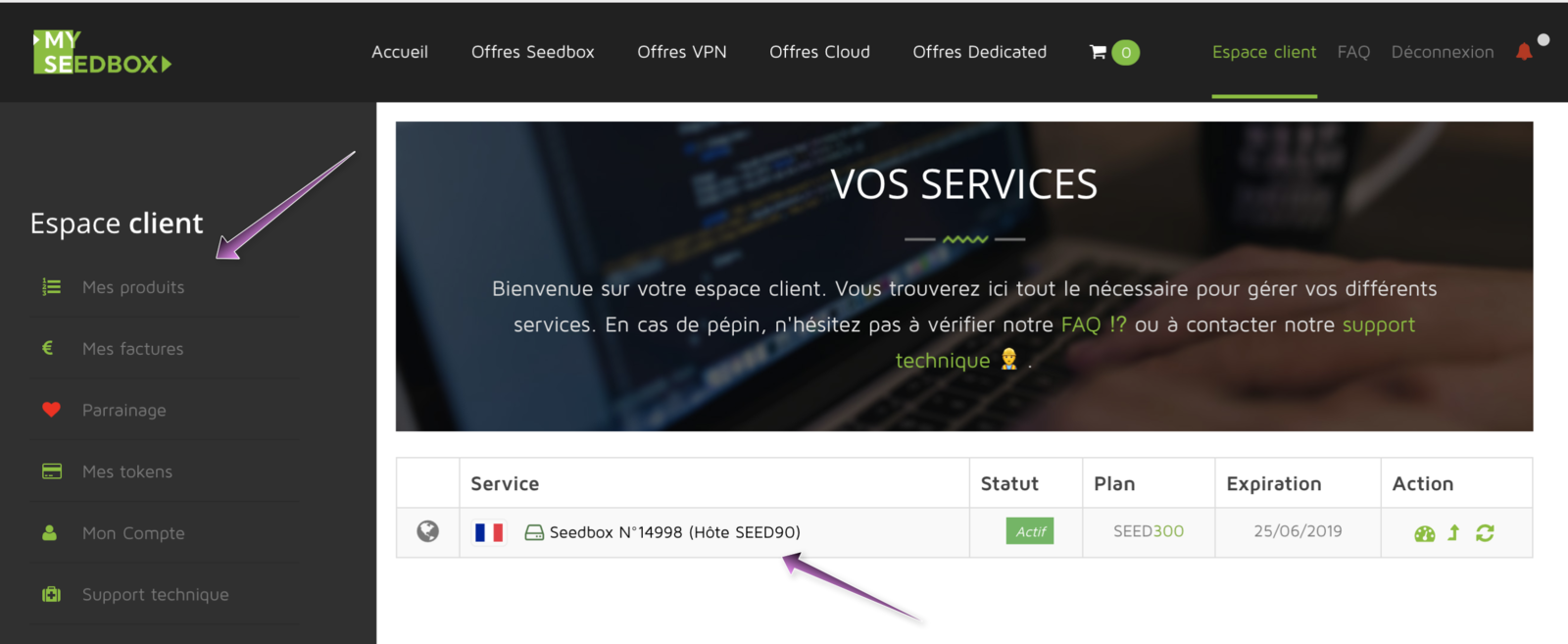
Accessing it couldn't be simpler:
Just go to the "My products" page, then click on the seedbox you want to manage. Your management panel will then open.
Your management panel#
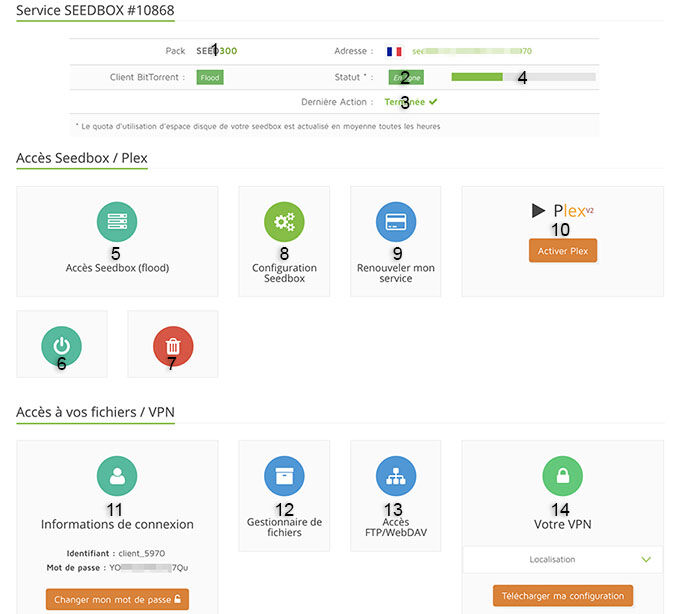
- Your current plan
- The status of your seedbox (online or powered off)
- The status of the last operation performed on your seedbox
- The disk space used on your seedbox (hover your mouse over it for the exact details)
- Button to access the client of your seedbox
- Button to start (or restart) your seedbox
- Button to reset your seedbox (reinstallation)
- Access to the configuration panel (torrent client and password)
- Access to renewing your seedbox
- Plex control panel (see the Plex activation tutorial)
- VPN and file manager login information
- Access to the File Manager (see )
- FTP and WebDAV login information