To access your files easily through your browser, My-Seedbox offers a file manager (also called WebFTP).
It lets you manage the contents of your seedbox storage directly and perform common operations (downloading, moving or renaming an item, etc.).
1. Retrieving your file manager login details#
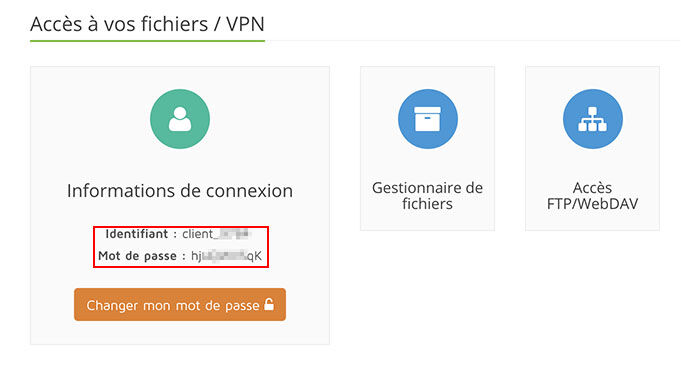
Access to the file manager uses the same login details as the VPN or standard FTP access. These login details are available directly from your management console.
2. Accessing the file manager#
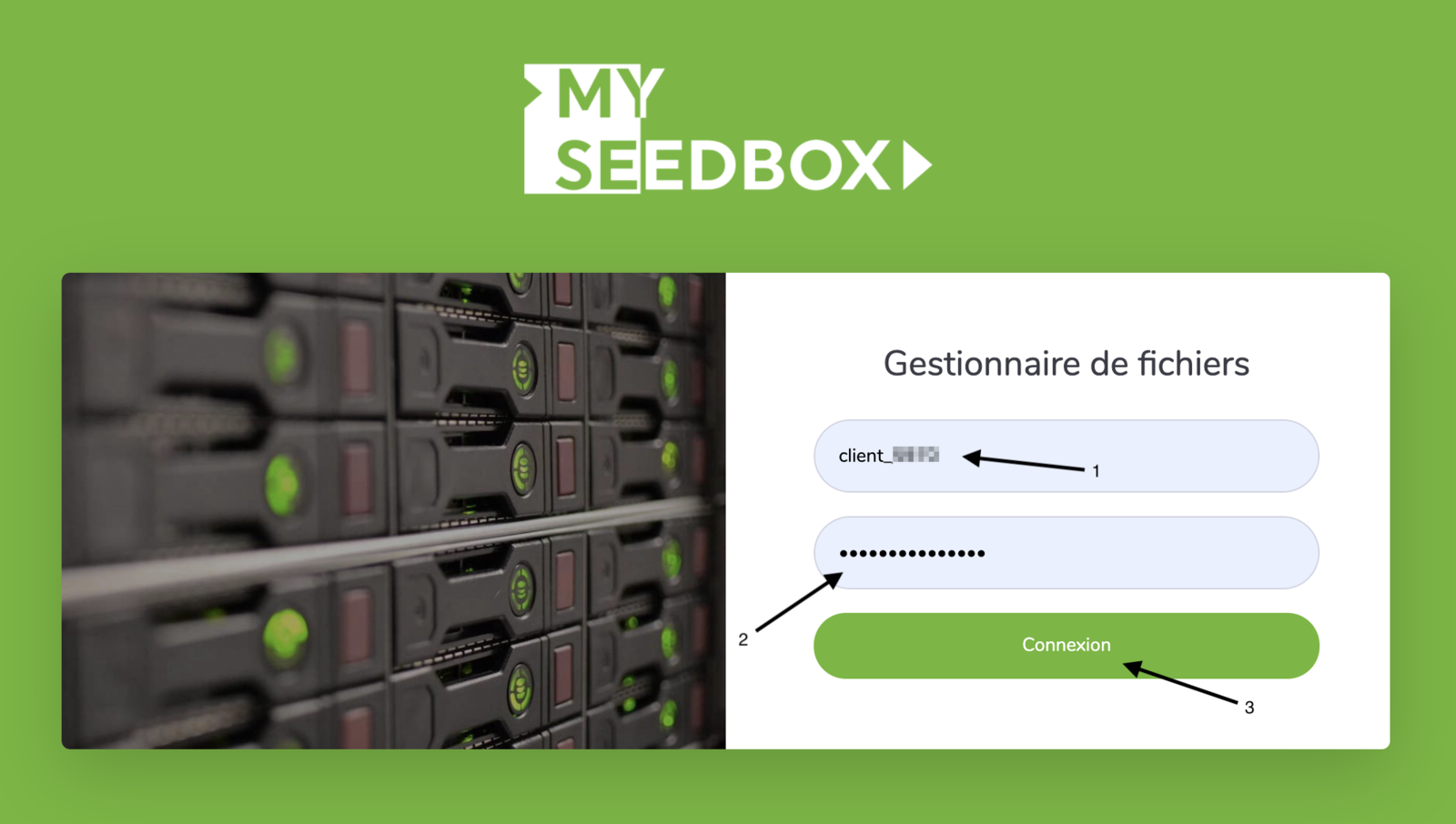
To access the file manager login page, simply click here, or click the "File manager" button in your management console.
To log in, simply fill in the "Username" and "Password" fields with the details you retrieved earlier (see the red box above), then click "Enter".
3. Using the file manager#
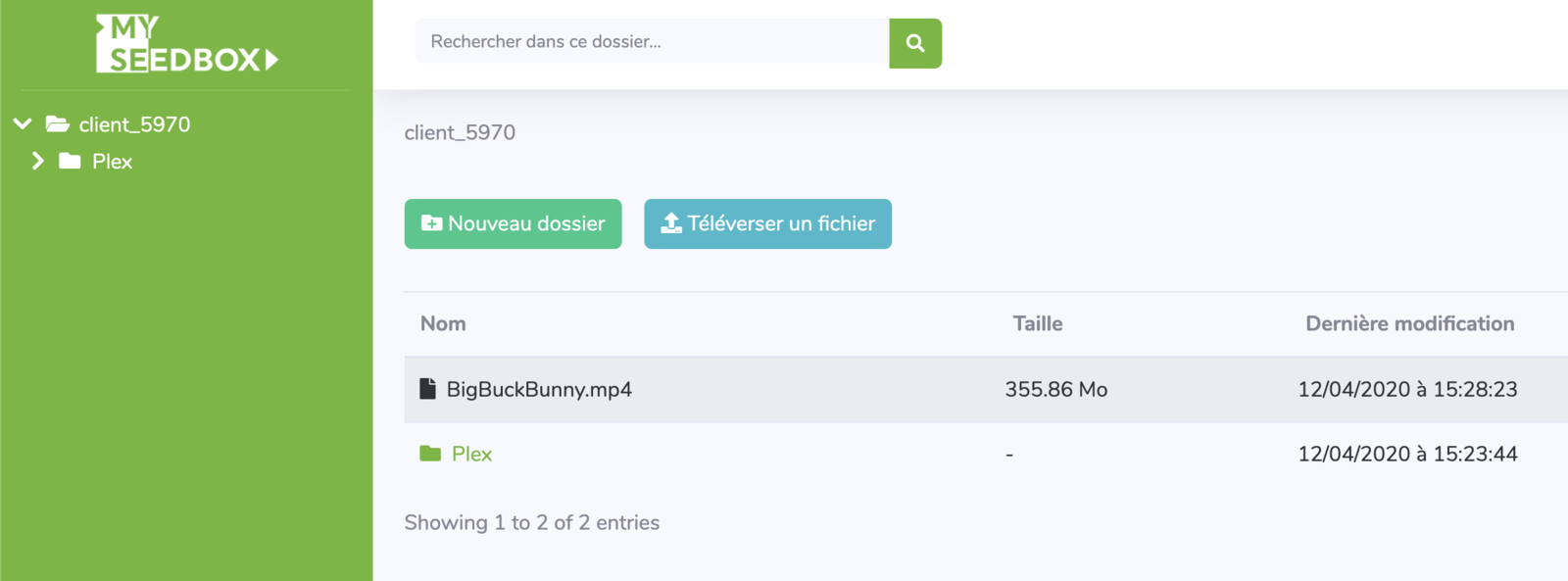
The online file manager is very easy to use. It works just like a standard file explorer.
You can therefore move your files with a simple drag and drop, and modify them with a simple right-click on the relevant file or folder.
Moving files#
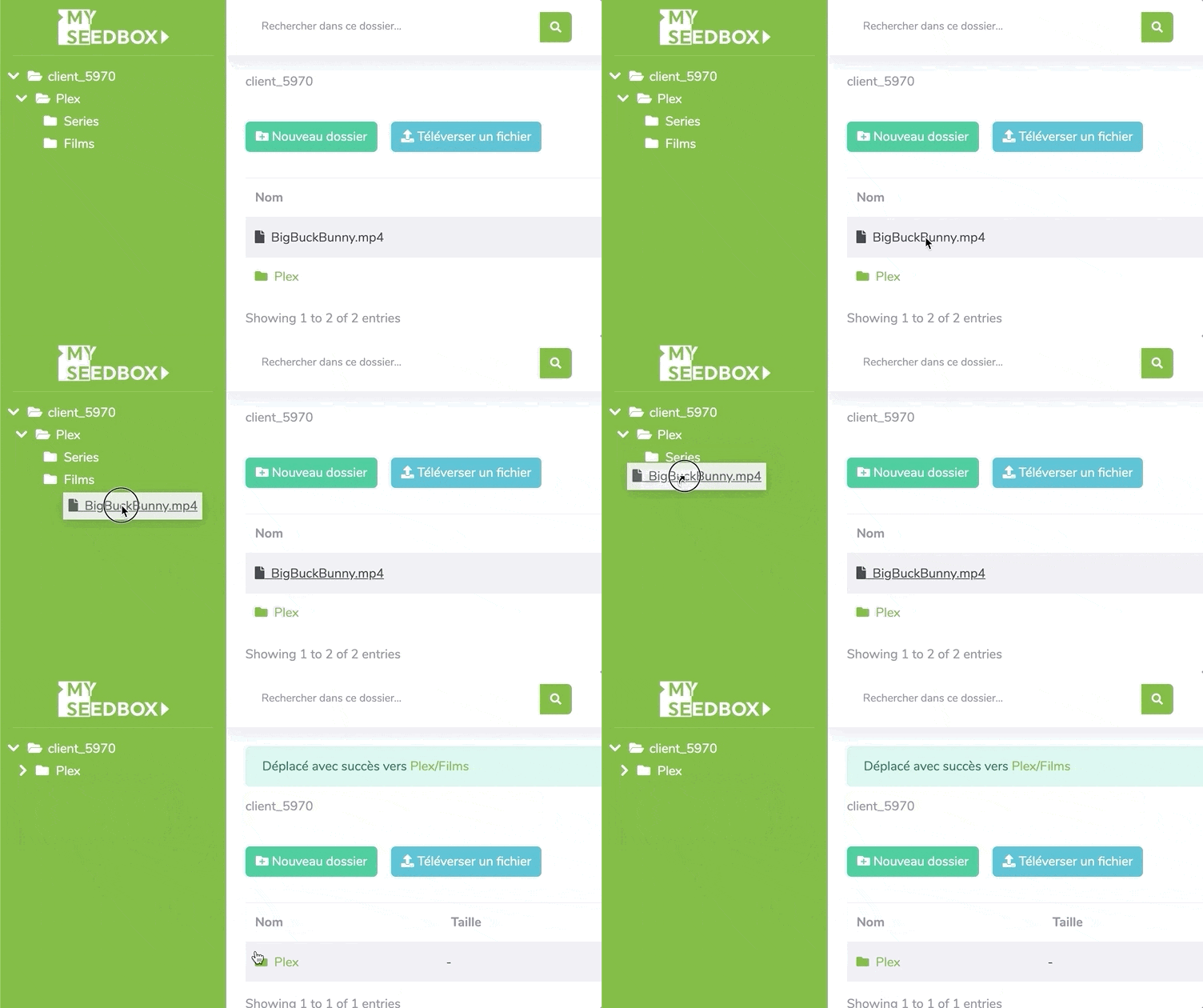
Moving your files works the same way as in a regular file explorer. Simply click and drag (drag & drop) your files to the folder of your choice.
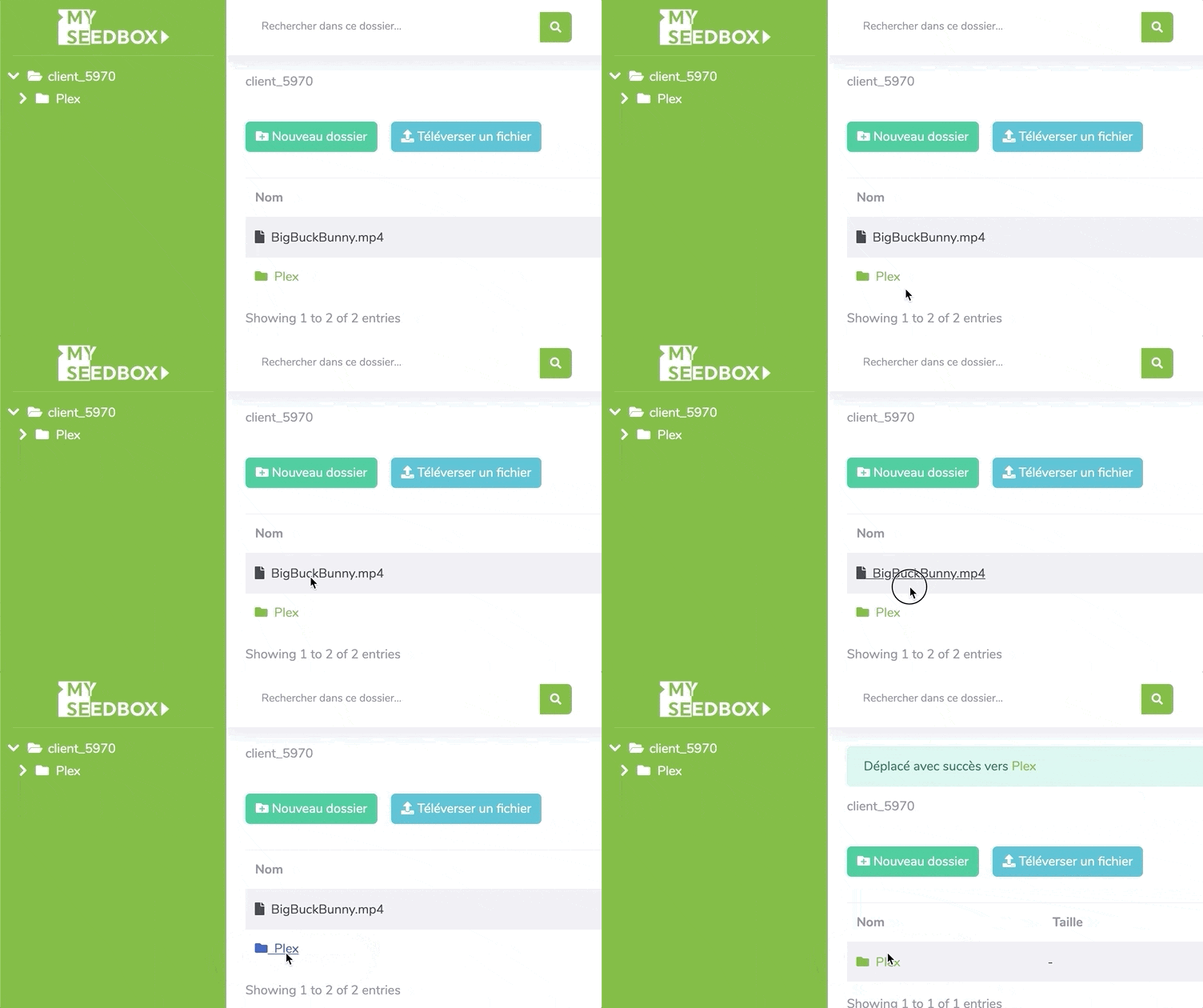
You can also move your files to the "quick view" panel on the side to save time.
Sharing files#
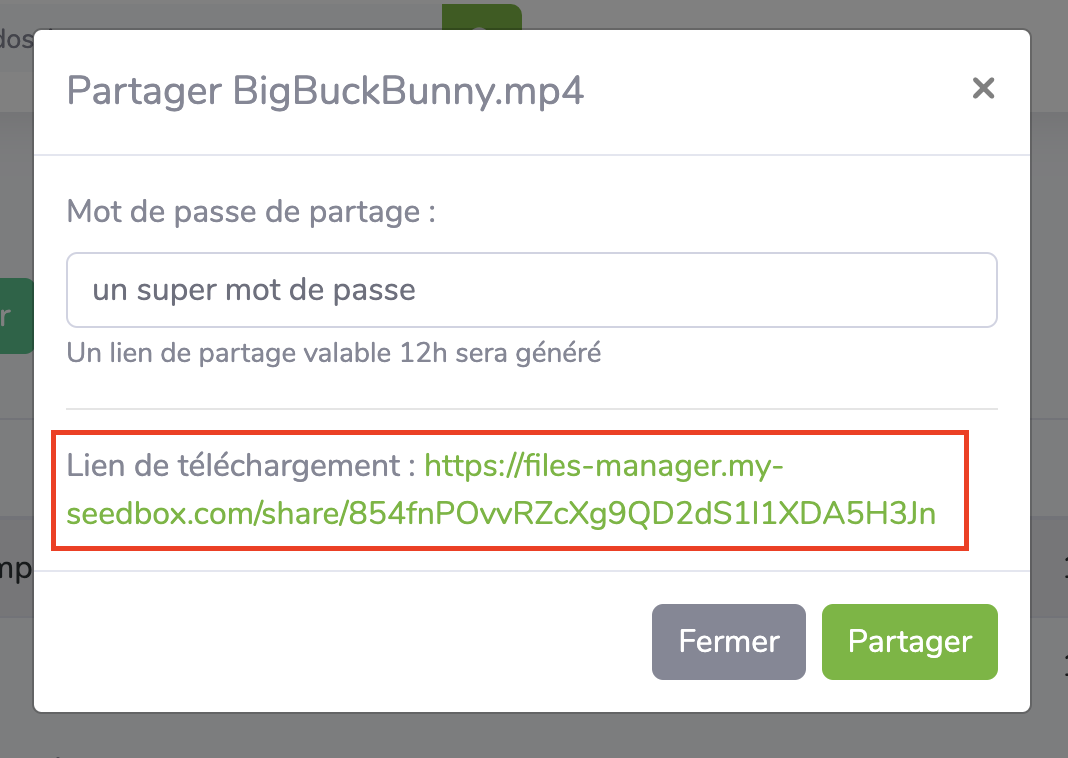
Since 12/04/2020, you have the ability to share files from your seedbox via a public download link in your browser. As a security measure, the links created must be protected with a password (of your choosing), and the links only remain active for 12 hours. After that time, the link is automatically destroyed.
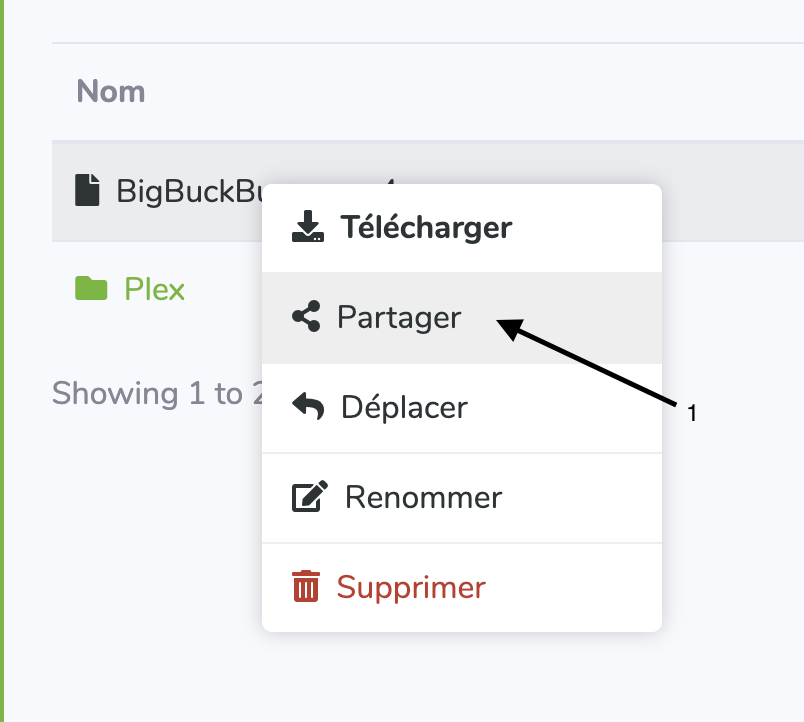
To use this sharing feature, simply select the relevant file in the file manager and click the "Share" button:
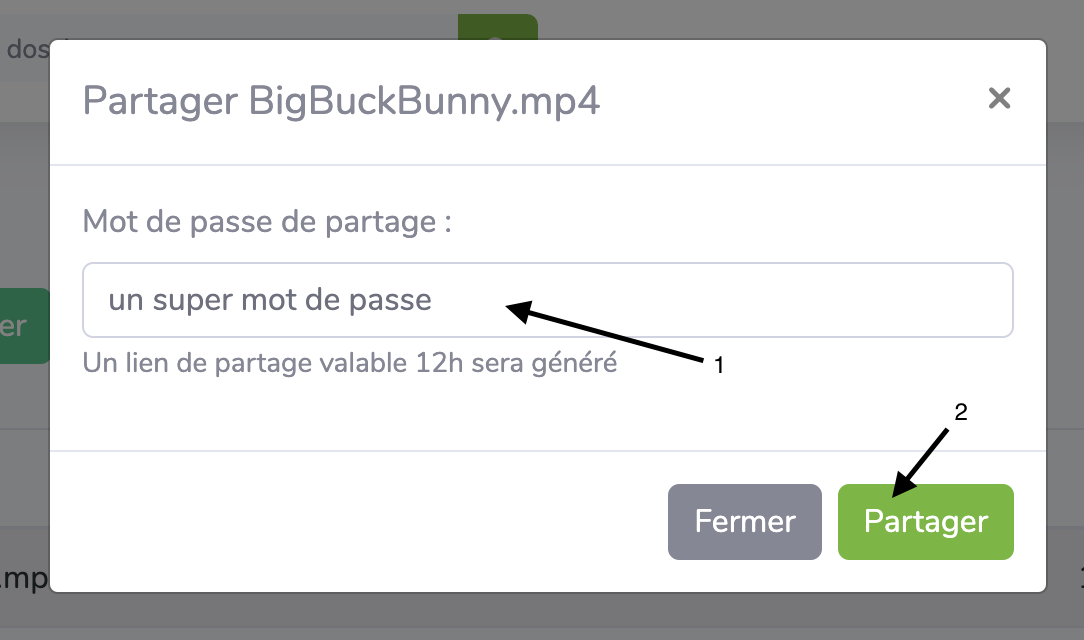
In the window that opens, enter the password of your choice, which will be used to protect the download link (use a password different from your seedbox password!), then simply click the "Share" button.
Once you have clicked the "Share" button, the temporary download link appears. You can safely share it with your friends or family members, along with the temporary password you chose earlier. Please note, this download link will only work for 12 hours!