
When you move your torrent files (for example to place them in the Jellyfin directories), it may be necessary to perform a few operations in your torrent client so that your files remain in sharing (seed).
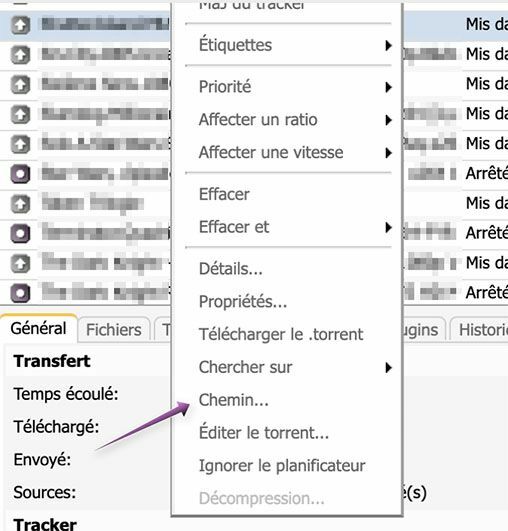
To modify your torrent in ruTorrent, simply select the relevant torrent, right-click to open the menu, and choose the "Path" option.
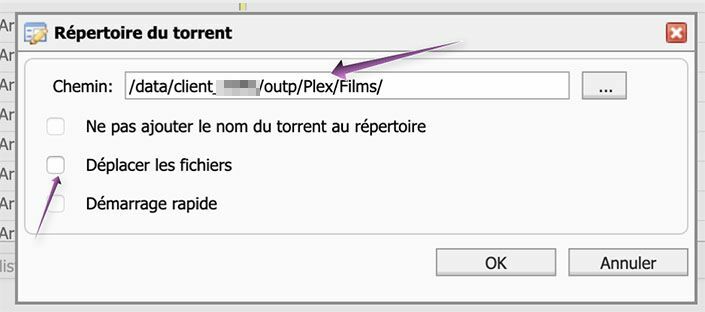
In the window that opens, simply change the path where the data of the relevant torrent is now located, and uncheck the "Move files" box.
All that is left to do is stop, then restart the relevant torrent. It will automatically switch to the "Checking" status (or "Queued", if another torrent is already being checked). Note that depending on the size of the file, this check can take up to about ten minutes.
Once this is done, your torrent will be available for seeding again.