
To use the VPN access included in your Seedbox plan on a Mac, we recommend using the free tool Tunnelblick. It is based on a simplified implementation of OpenVPN.
Download Tunnelblick#
It couldn't be simpler: just head over to the publisher's website and download the latest "stable" version.
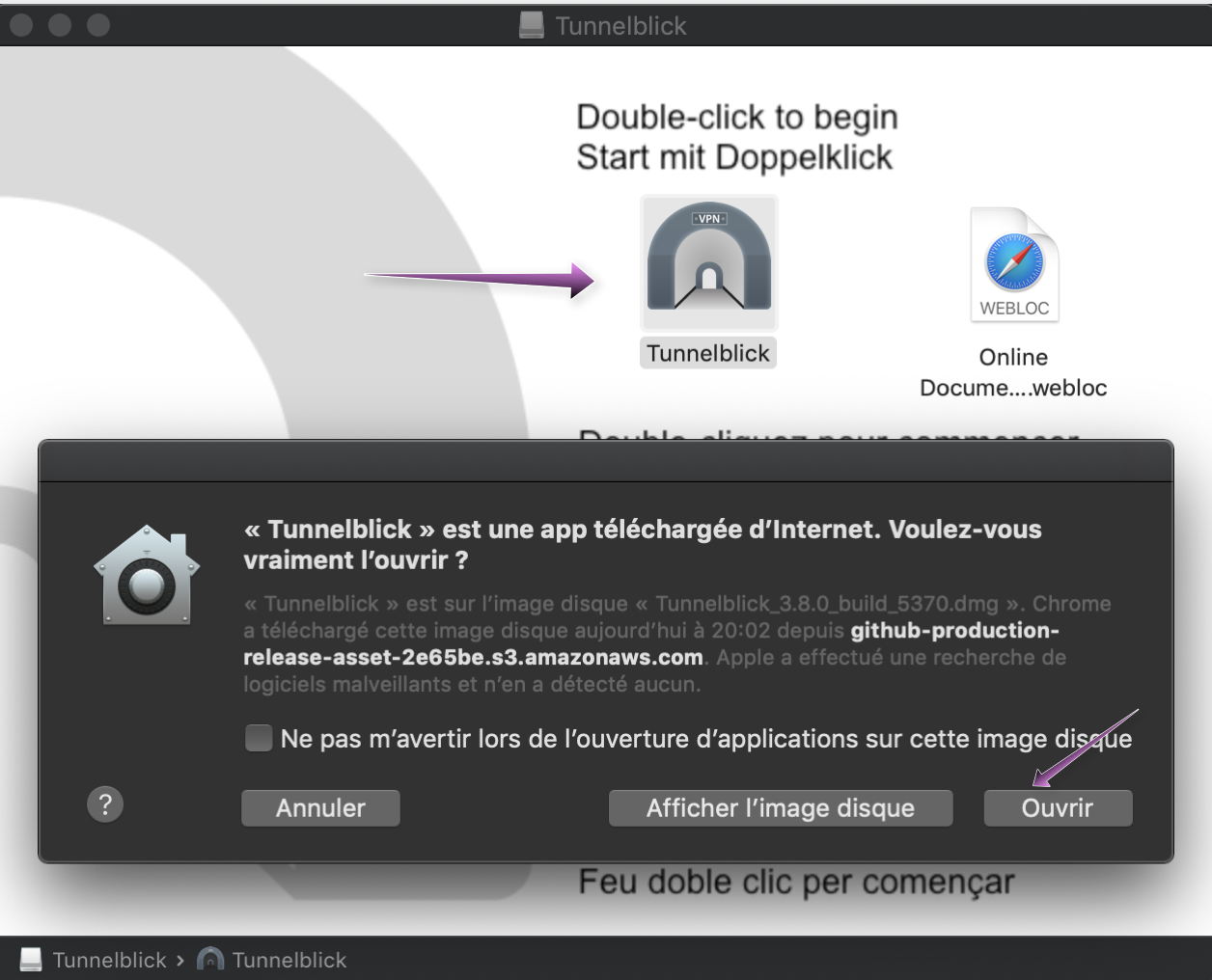
Once downloaded, you can open the .dmg file directly and double-click the Tunnelblick icon. Then simply follow the installation process.
Import a VPN profile into Tunnelblick#
You can download the VPN profile of your choice from the management console of your seedbox:
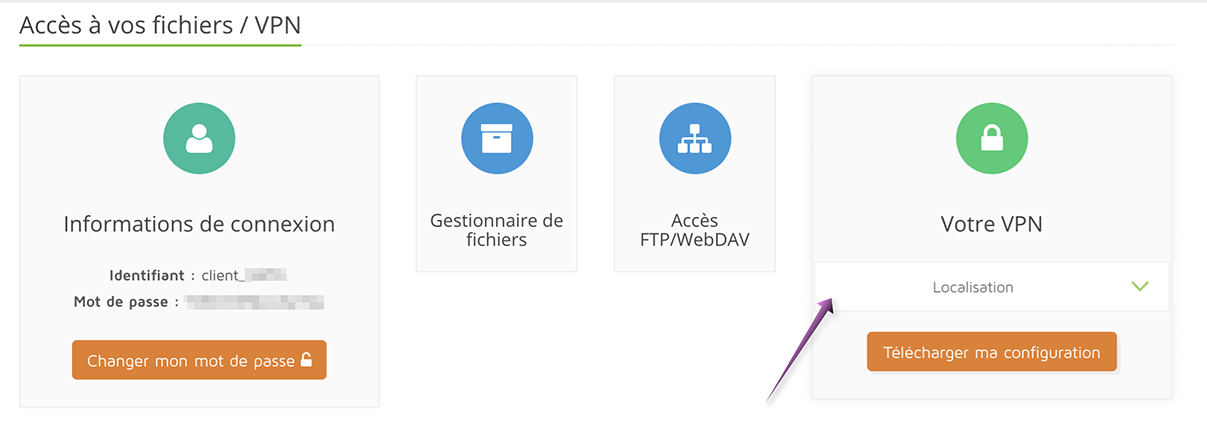
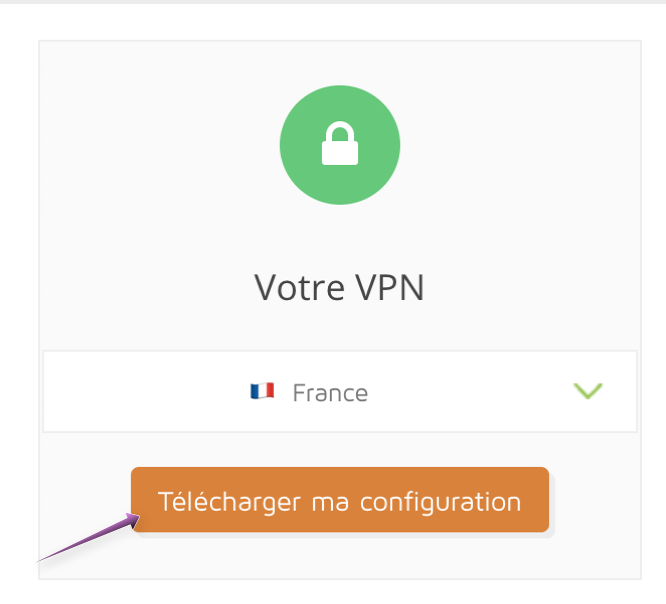
Then simply choose the country whose configuration you want to download, and click "Download"!
Once your .ovpn file is downloaded, just open it by clicking on it: it will be opened automatically by the TunnelBlick application.
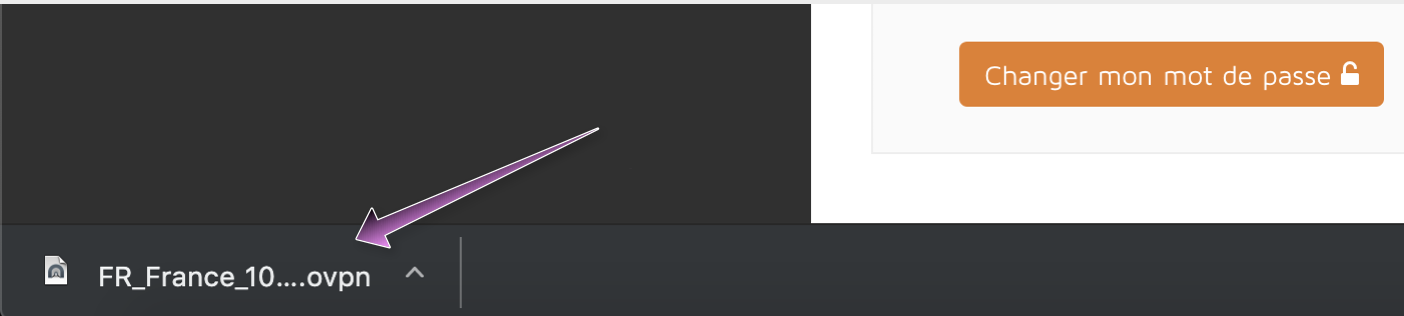
Then follow TunnelBlick's instructions, and the configuration will be imported.
Using Tunnelblick#
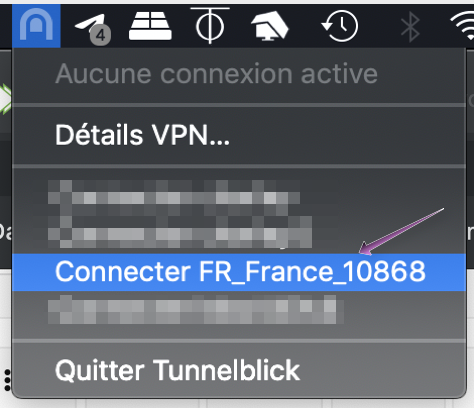
Once the Tunnelblick application is open, its icon appears in your Mac's menu bar, next to the clock. This is where you can choose to start or stop your VPN whenever you like.
To start the VPN, simply click the icon and select the VPN you downloaded earlier.
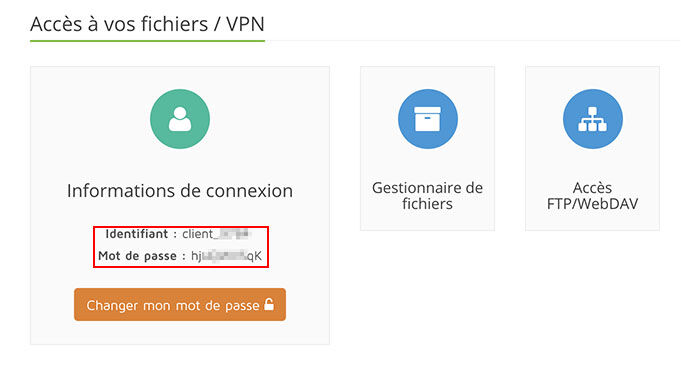
Then just enter the username and password for the VPN access, which you can find in the management console of your seedbox:
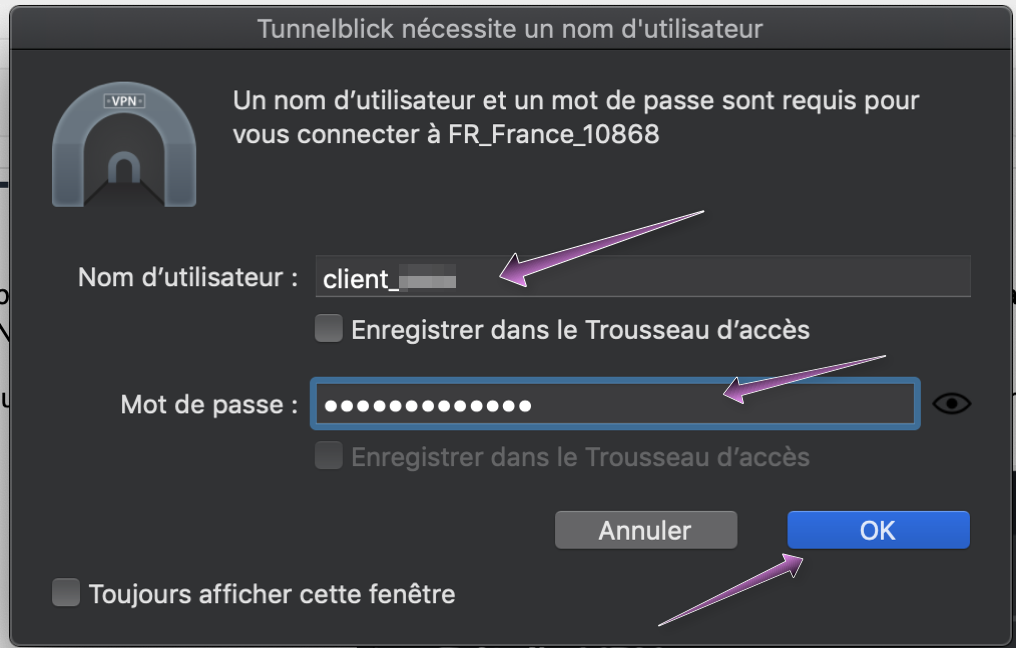
And there you go! Your VPN is now up and running. You can check that your IP has indeed changed using this website